
Google announced native custom font support at I/O 2017. With Support Library 26, the feature was backported to API 14 — fonts work as first-class resources rather than raw assets bundled in the APK. The library also introduced downloadable fonts: fonts served on demand from a provider (Google Play Services for Google Fonts), shared across applications, and never bundled at build time.
There are three approaches: fonts as resources, downloadable fonts via XML, and downloadable fonts requested programmatically. Here's how each works.
## Fonts as a Resource
Android Studio 3.0 adds a font directory under res/. Drop a .ttf or .otf file there and reference it directly in XML:
<android.support.v7.widget.AppCompatButton android:id="@+id/action_xml" android:layout_width="wrap_content" android:layout_height="wrap_content" android:layout_marginBottom="8dp" android:text="@string/label_xml" android:textSize="16sp" app:fontFamily="@font/ubuntu_bold"/>
To load it programmatically:
Typeface typeface = getResources().getFont(R.font.ubuntu_bold);
Note
getFont() requires API 26+. The XML app:fontFamily attribute works on older APIs via the support library.
### Font Families
Group related weights and styles into a single font family XML:
<?xml version="1.0" encoding="utf-8"?>
<font-family xmlns:android="http://schemas.android.com/apk/res/android">
    <font
        android:font="@font/open_sans"
        android:fontStyle="normal"
        android:fontWeight="400"/>
    <font
        android:font="@font/open_sans_italic"
        android:fontStyle="italic"
        android:fontWeight="400"/>
</font-family>
### App-wide Font via Theme
Apply a font to your entire app by setting android:fontFamily in the theme:
<resources> <style name="AppTheme" parent="Theme.AppCompat.Light.DarkActionBar"> <item name="colorPrimary">@color/colorPrimary</item> <item name="colorPrimaryDark">@color/colorPrimaryDark</item> <item name="colorAccent">@color/colorAccent</item> <item name="android:fontFamily">@font/open_sans</item> </style></resources>
## Downloadable Fonts
Instead of bundling fonts in the APK, downloadable fonts are fetched from a Font Provider at runtime. Multiple apps sharing the same font download it only once, saving storage and data.

Trade-offs
- APK size is reduced — fonts are not bundled
- Network failures fall back to system defaults
- Requires Google Play Services as the font provider
### Selecting via Android Studio
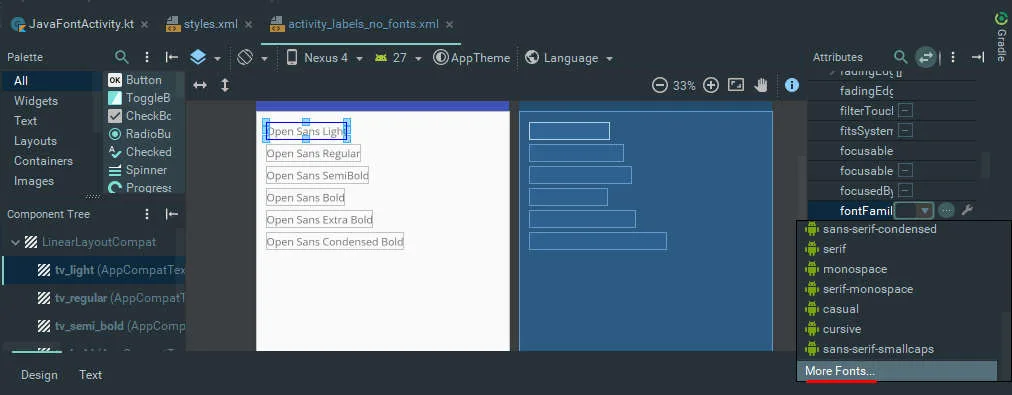
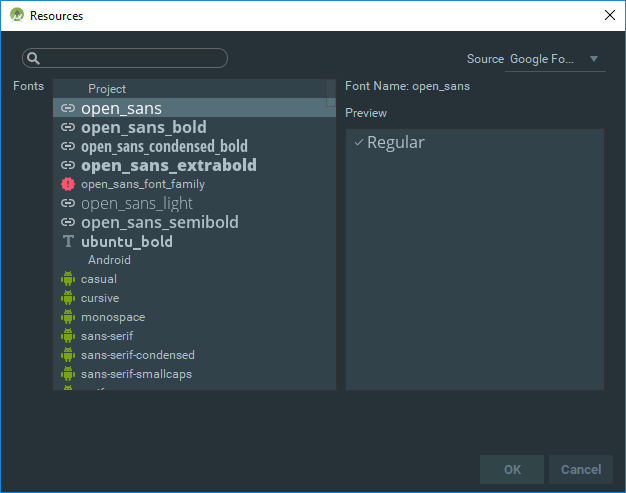
The easiest path is through the layout editor: click the fontFamily attribute, choose "More Fonts...", and Android Studio sets up the XML automatically.
### XML Configuration
To set one up manually, create a font family XML pointing at the provider:
<?xml version="1.0" encoding="utf-8"?>
<font-family
    xmlns:app="http://schemas.android.com/apk/res-auto"
    app:fontProviderAuthority="com.google.android.gms.fonts"
    app:fontProviderPackage="com.google.android.gms"
    app:fontProviderQuery="Open Sans"
    app:fontProviderCerts="@array/com_google_android_gms_fonts_certs">
</font-family>
| Attribute | Purpose |
|---|---|
fontProviderAuthority |
Unique URI identifying the Font Provider |
fontProviderPackage |
Root package name of the provider |
fontProviderQuery |
Font name, optionally with weight/width: name=Open Sans&weight=700&width=75 |
fontProviderCerts |
Provider's signing certificate array |
### Certificate Configuration
Android Studio populates these automatically when you use the font picker. The structure:
<?xml version="1.0" encoding="utf-8"?>
<resources>
    <array name="com_google_android_gms_fonts_certs">
        <item>@array/com_google_android_gms_fonts_certs_dev</item>
        <item>@array/com_google_android_gms_fonts_certs_prod</item>
    </array>
    <string-array name="com_google_android_gms_fonts_certs_dev">
        <item><!-- dev cert --></item>
    </string-array>
    <string-array name="com_google_android_gms_fonts_certs_prod">
        <item><!-- prod cert --></item>
    </string-array>
</resources>
## Preloading Fonts
By default fonts download synchronously when their containing layout inflates. Declaring them in the manifest tells the system to fetch them in the background before your app launches:
### Declare the font array
<?xml version="1.0" encoding="utf-8"?>
<resources>
    <array name="preloaded_fonts" translatable="false">
        <item>@font/open_sans</item>
        <item>@font/open_sans_bold</item>
        <item>@font/open_sans_light</item>
    </array>
</resources>
### Reference it in the manifest
<application>
    ...
    <meta-data
        android:name="preloaded_fonts"
        android:resource="@array/preloaded_fonts" />
</application>
You can also control the fetch strategy per font family:
<font-family
    ...
    app:fontProviderFetchStrategy="async"
    app:fontProviderFetchTimeout="500">
</font-family>
## Programmatic Font Requests
For dynamic font loading at runtime, use FontsContractCompat:
class MainActivity : AppCompatActivity() { private var regular: AppCompatTextView? = null private val certificate = R.array.com_google_android_gms_fonts_certs override fun onCreate(savedInstanceState: Bundle?) { super.onCreate(savedInstanceState) setContentView(R.layout.activity_labels_no_fonts) regular = findViewById(R.id.tv_regular) val sansRegularRequest = FontRequest( PROVIDER_AUTHORITY, PROVIDER_PACKAGE, "Open Sans", certificate ) val sansRegularCallback = object : FontsContractCompat.FontRequestCallback() { override fun onTypefaceRetrieved(typeface: Typeface?) { regular!!.typeface = typeface } override fun onTypefaceRequestFailed(reason: Int) { // handle failure — reason is an error code constant } } FontsContractCompat.requestFont(this, sansRegularRequest, sansRegularCallback, Handler()) } companion object { private val PROVIDER_PACKAGE = "com.google.android.gms" private val PROVIDER_AUTHORITY = "$PROVIDER_PACKAGE.fonts" }}
Warning
The Handler passed to requestFont must not run on the UI thread.
## Result
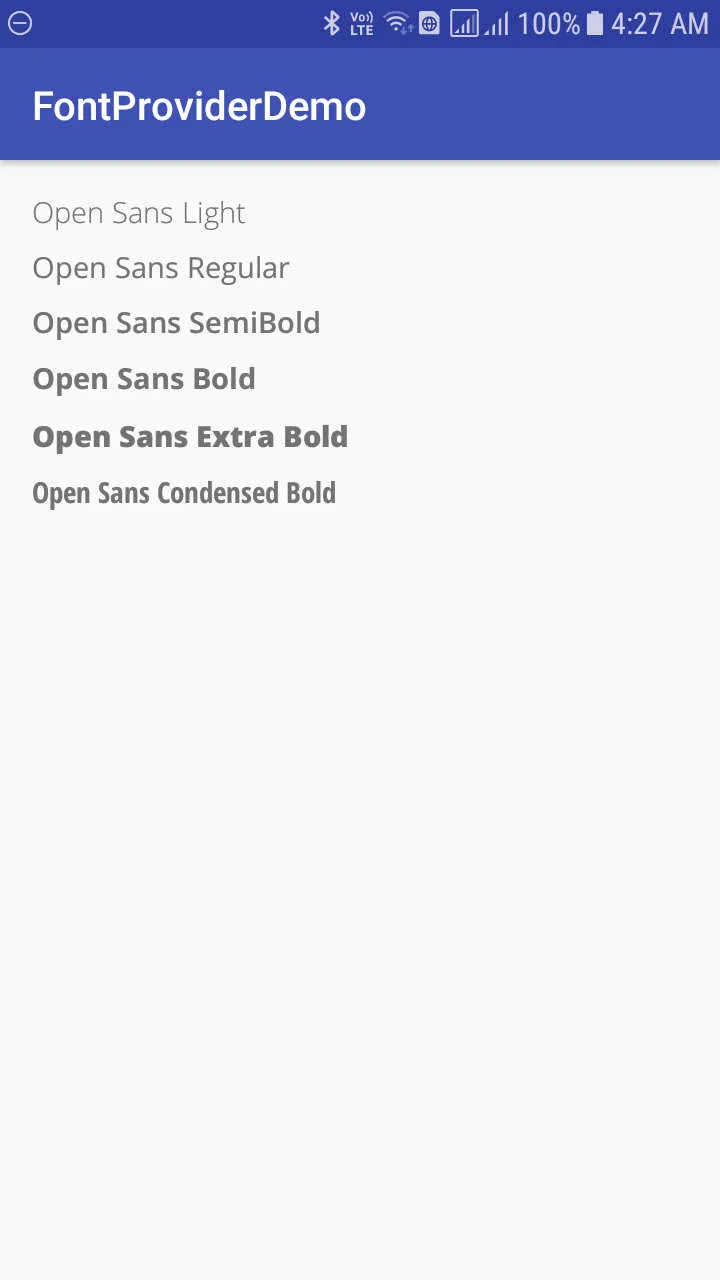
This was a meaningful upgrade from the old approach of bundling font files as raw assets and loading them manually through Typeface.createFromAsset():
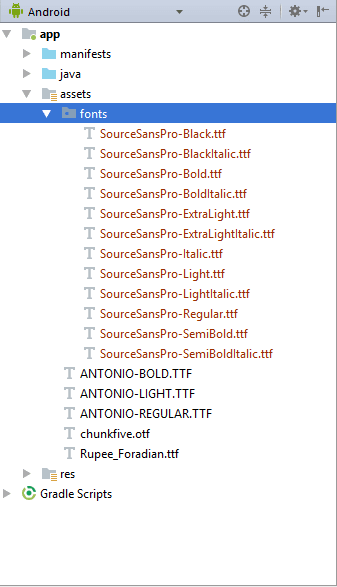
Fonts as resources and downloadable fonts make the old approach unnecessary for almost every use case.
The full source is on GitHub.