
Last week's post drew the map: Polaris as the hub, Andromeda for AI, Boring-Drive for storage, Hermes for development. This one is about the private network that holds them together, and the part I use most without thinking about it: opening a dashboard by name from wherever I am.
It took three attempts to get here.
## Attempt one: a WireGuard hub
The first version was plain WireGuard, with Polaris as the hub. My laptop and phone each had a tunnel to it, Andromeda joined as a spoke, and everything private was reachable as long as the tunnel was up. I wrote about this setup when Polaris became a server, and for a few months it was fine.
Two things wore it down.
The first was that a hub needs to be reachable. WireGuard clients connect to the hub's public address, and that address belongs to my ISP, not me. One day in August the ISP quietly put my connection behind a second layer of NAT. Nothing at home changed, the router still showed a public-looking address, and every tunnel from outside went dead at once. It reverted later that day, but I spent an hour convinced Polaris had crashed before I worked out that it had never been the problem.
The second was that adding a device meant editing configs on several machines, by hand. My laptop, phone and iPad each needed a key on the hub and on every spoke they talked to directly. Forget one and you get a device that can reach some machines and not others, which is the most confusing kind of broken.
## Attempt two: Tailscale, one node per service
Tailscale moved in the same day the ISP trick happened. It's WireGuard underneath, but devices find each other through a coordination server and punch through NAT on their own, so nothing depends on my home address being reachable. Adding a device is signing in on it.
Polaris also acts as a subnet router, which means it carries traffic for the old private ranges too. Anything still addressed the WireGuard way kept working while I migrated, and I didn't have to move everything in one evening.
Don't run both on one laptop
For a while my laptop had the old WireGuard tunnel and Tailscale up together. The WireGuard routes were more specific, so they won, and they pointed at spokes that no longer knew my laptop's key. Polaris answered fine; Andromeda silently didn't. It looked exactly like a server fault. If you migrate, turn the old tunnel off on each client before you start debugging anything.
For the dashboards, I started with the pattern most guides suggest: a small Tailscale container next to each service, so each one joins the tailnet as its own device with its own name and certificate. Monitoring got a node, the container manager got a node, Orbiter got a node, and so on.
It worked, and it scaled badly. Nine extra devices in the admin console, each with its own login state, its own key expiry, and its own way of getting stuck. Getting a couple of them to re-register under the right owner took far longer than any of them took to set up. And the names were Tailscale's, not mine.
## Attempt three: private names on my own domain
What I have now is simpler, and it has three parts.
Names. A small DNS resolver runs on Polaris and answers for one private zone under my domain. It has a single rule: any name in that zone points at Polaris. Tailscale's split DNS sends questions about only that zone to it; everything else goes to the normal resolvers. So on any of my devices, a name like monitor.int.… resolves, and on any other device in the world it doesn't. Public DNS has never heard of it.
Certificates. One wildcard certificate covers the whole zone. It comes from Let's Encrypt through a DNS challenge, which proves I own the domain by publishing a temporary record. Nothing has to be reachable from the internet to get it.
There's a second reason it's a wildcard. Every publicly trusted certificate is published in Certificate Transparency logs, where anyone can read it. A certificate per service would list every service I run. The wildcard only tells the world that the zone exists.
The front door. nginx on Polaris holds one small block per service. Each one proxies to a service that listens only on Polaris's localhost, and each one refuses any caller that isn't on the tailnet. The firewall doesn't let the home network reach that port either, so there are two separate reasons a stranger gets nothing.
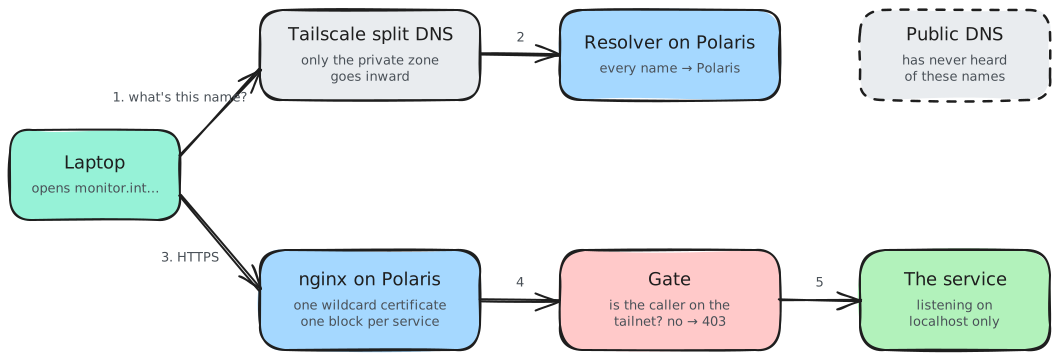
The payoff is in what adding a service costs. There's no DNS record to create and no certificate to issue. It's one nginx block and a reload. When I set up the F-Droid repository in October (more on that in the last post of the series), it had a working HTTPS name in about two minutes.
## What lives there
These are the internal pages I actually open, roughly in order of how often:
| Dashboard | What it's for |
|---|---|
| Monitoring | CPU, memory, disk, temperature and uptime for all four machines on one screen. An agent on each machine reports to a hub on Polaris. |
| Orbiter | My own launcher: every service as a card, with a health check and a link. I wrote about building it. |
| Containers | Restart something from my phone without opening a terminal. |
| The NAS | Boring-Drive's web interface, reached through a Polaris name instead of its own address. |
| Avrit's console | Members, the exercise catalog and every option the app shows. |
| A browser terminal, an editor, the password manager | For when I'm on a device that isn't mine to install things on. |
| The app repository | Where my phone checks for updates to my own apps. |
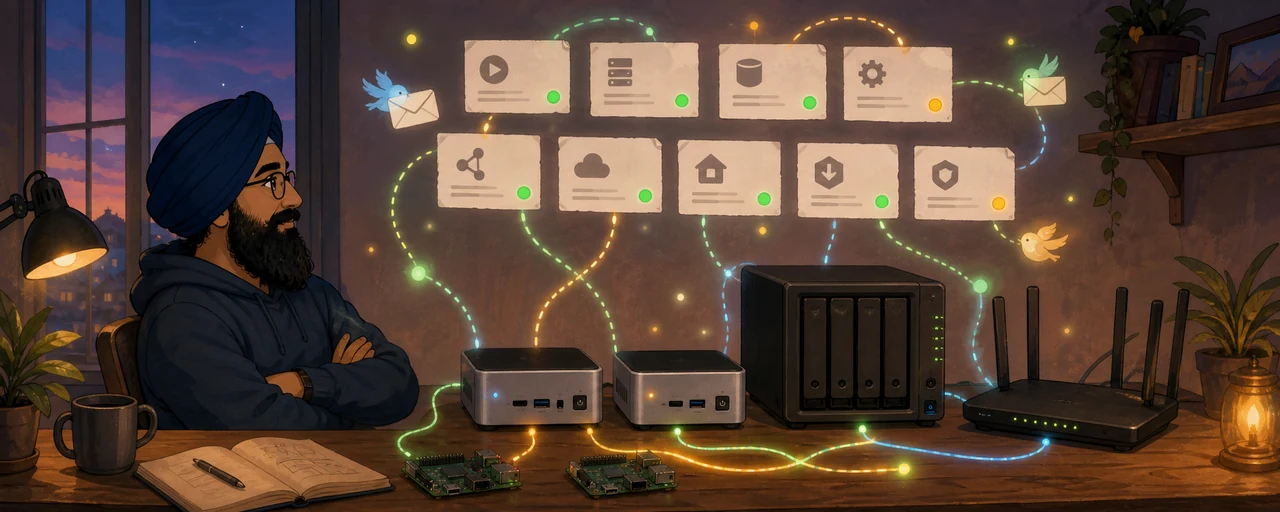
Andromeda has a couple of names of its own in a second zone, for its GPU dashboard and the model chat UI. Same resolver, same pattern.
## Avrit's console never touches the internet
This is where the gym app comes in for the first time. Avrit has two front ends: the Android app, which needs to work from anywhere, and the web console, which only I use.
The console runs on Polaris bound to its tailnet address and nothing else. Members are created there; the app has no sign-up screen at all. So the page where accounts are made isn't just password-protected, it doesn't exist from the public internet's point of view. There's no login form to guess at.
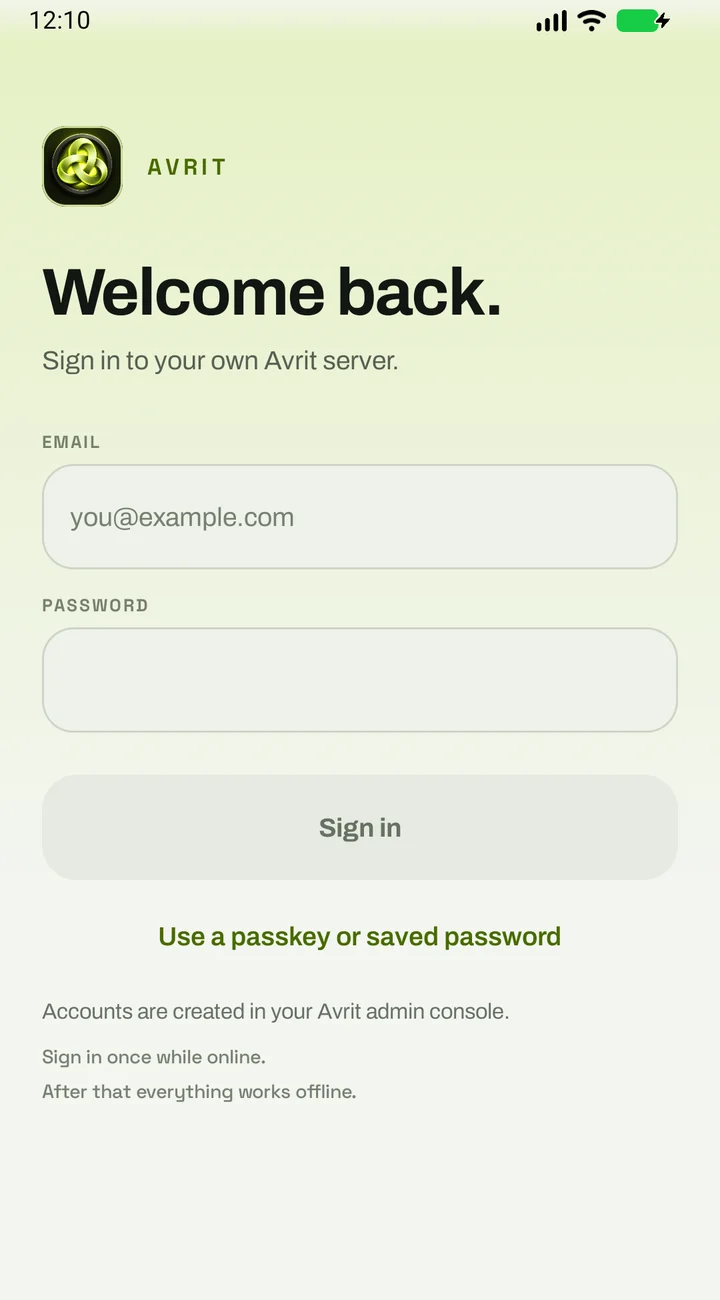
And this is the other side of it, the console's dashboard, which only exists on the tailnet:
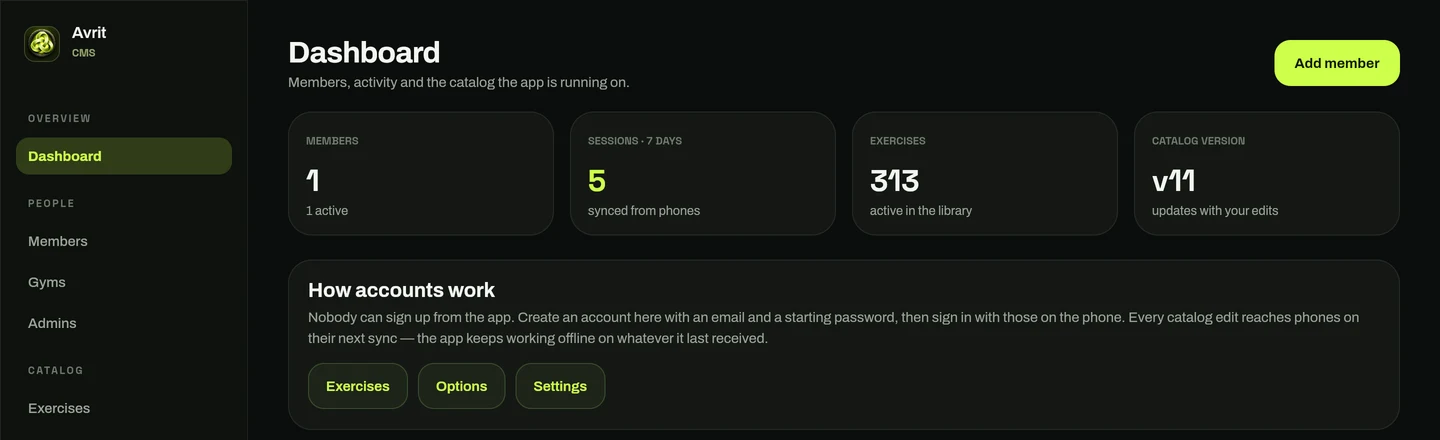
I like this split a lot. The app talks to a small, public API with a narrow job, and everything administrative sits behind a network boundary instead of an isAdmin check. Next week's post covers the public half.
## What got in the way
### Everything was down, and nothing was
A few weeks after the switch, Polaris rebooted and every dashboard was unreachable. Every service was running.
The cause was boot order. Docker started at the same time as Tailscale, and a couple of containers, including the DNS resolver, were set to listen on Polaris's tailnet address. That address didn't exist yet, so Docker couldn't bind it and brought the containers up with no network at all. The services behind the names were fine. The thing that turns names into addresses wasn't.
The fix was two lines: start Docker after Tailscale, and let the kernel accept a listener on an address that hasn't appeared yet. The lesson was bigger than the fix. A private resolver makes everything nicer, and it also makes itself the one thing that can make everything look broken. It's now the first thing I check.
### The monitoring tile that lied
Hermes showed as down in the monitoring dashboard while I was happily SSH'd into it. The monitoring hub ran in a container on Polaris and reached Hermes's agent over the home network, and a firewall rule I'd added months earlier, to keep the home network away from containers, was also dropping the replies to connections the containers made themselves. Outgoing packets left fine. The answers never came back in.
I fixed the rule so replies get through, then moved the monitoring hub out of Docker and every agent onto tailnet addresses, which don't change when a machine gets reinstalled. The general lesson: a rule that blocks traffic in one direction needs to be told about the conversations you started.
## Where it stands
Everything private is one Tailscale login away, on any device, and every name is HTTPS with a real certificate. Nothing private has a public DNS record, a public certificate with its name on it, or a port forward on the router.
Next Friday: the public side. Avrit's API, a Cloudflare tunnel, and why the app never waits for either.