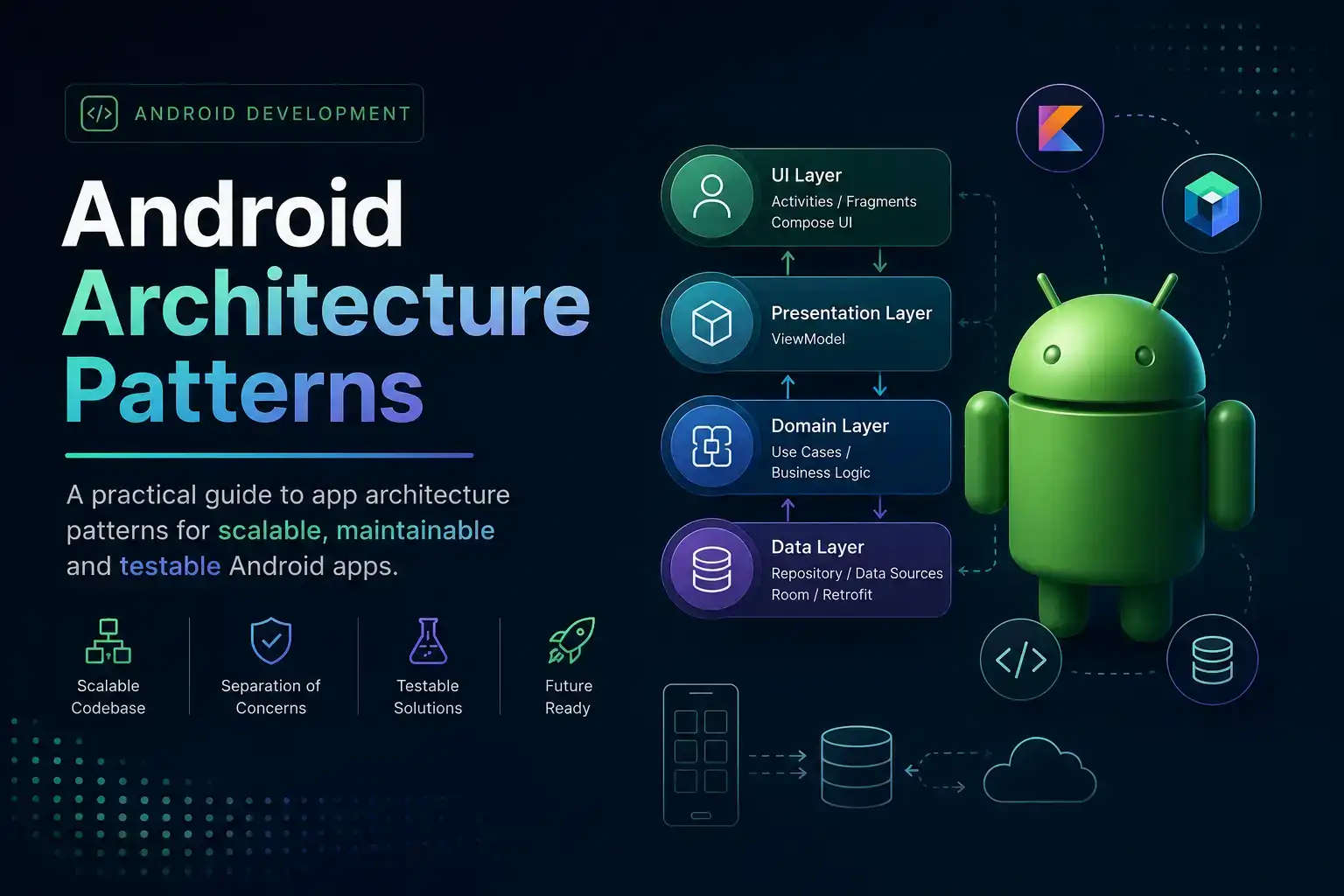
Android architecture has settled into a relatively stable set of patterns. The debates that dominated 2019–2022 are largely resolved — not because everyone agreed, but because the tooling converged. This post is a practical reference, not a polemic.
Foundations
Before picking a pattern, it helps to understand what problem architecture is solving: separating concerns so that each part of the code has a single reason to change.
Why Architecture Matters
Without structure, Android apps tend to accumulate logic in Activities and Fragments. This makes testing hard (Activities are difficult to unit test), change expensive (business logic is tangled with lifecycle code), and bugs subtle (state lives in too many places).
The Lifecycle Problem
Android's component lifecycle is the root cause of most architectural complexity. An Activity can be destroyed and recreated for configuration changes, low memory, or navigation. Any state that isn't explicitly preserved is lost.
// Fragile — recreated on rotation
class MainActivity : AppCompatActivity() {
    var data: List<Item> = emptyList() // gone on rotate
}
The Solution: ViewModel
ViewModel survives configuration changes. It is the canonical place to hold UI state in Android.
class MainViewModel : ViewModel() {
    private val _items = MutableStateFlow<List<Item>>(emptyList())
    val items: StateFlow<List<Item>> = _items.asStateFlow()
}
Unidirectional Data Flow
UDF is not a specific library — it is a constraint: state flows down, events flow up. It makes state changes predictable because there is only one place state can come from.
State Down
The UI observes a single state object. It never mutates state directly.
data class FeedUiState(
    val items: List<Item> = emptyList(),
    val isLoading: Boolean = false,
    val error: String? = null,
)
Events Up
The UI emits events (user intents) to the ViewModel. The ViewModel decides what to do with them.
sealed interface FeedEvent {
    data object Refresh : FeedEvent
    data class Delete(val id: String) : FeedEvent
}
MVVM
MVVM (Model–View–ViewModel) is the pattern Google recommends and the one most Android engineers reach for by default.
The ViewModel Layer
The ViewModel holds UI state and exposes it via StateFlow. It handles events from the UI and coordinates with the data layer.
class FeedViewModel(
    private val repo: FeedRepository,
) : ViewModel() {

    private val _uiState = MutableStateFlow(FeedUiState())
    val uiState: StateFlow<FeedUiState> = _uiState.asStateFlow()

    fun onEvent(event: FeedEvent) {
        when (event) {
            FeedEvent.Refresh -> refresh()
            is FeedEvent.Delete -> delete(event.id)
        }
    }

    private fun refresh() {
        viewModelScope.launch {
            _uiState.update { it.copy(isLoading = true) }
            repo.getFeed()
                .onSuccess { items -> _uiState.update { it.copy(items = items, isLoading = false) } }
                .onFailure { e -> _uiState.update { it.copy(error = e.message, isLoading = false) } }
        }
    }
}
The View Layer
In Compose, the View is a composable that collects state and dispatches events.
@Composable
fun FeedScreen(viewModel: FeedViewModel = hiltViewModel()) {
    val uiState by viewModel.uiState.collectAsStateWithLifecycle()
    FeedContent(
        uiState = uiState,
        onEvent = viewModel::onEvent,
    )
}
Keeping Composables Stateless
Separate the stateful screen composable (knows about ViewModel) from the stateless content composable (knows only about data). The content composable is easier to preview and test.
@Composable
fun FeedContent(
    uiState: FeedUiState,
    onEvent: (FeedEvent) -> Unit,
) {
    // pure UI — no ViewModel reference
}
MVI
MVI (Model–View–Intent) is stricter than MVVM. State is immutable, transitions are explicit, and side effects are modelled separately.
When to Choose MVI
MVI pays off when:
- State transitions are complex and need to be auditable
- You want to replay or time-travel through state for debugging
- The team is larger and you want stronger contracts between layers
For a simple CRUD screen, MVI is overkill.
State, Intent, Effect
MVI separates three concerns that MVVM sometimes blurs:
State
The complete, immutable snapshot of what the UI should show.
Intent
A user action or system event that may trigger a state transition. Equivalent to Event in MVVM.
Effect
A one-shot side effect that should not be part of state — navigation, showing a snackbar, playing a sound.
sealed interface FeedEffect {
    data class ShowError(val message: String) : FeedEffect
    data object NavigateToDetail : FeedEffect
}
Clean Architecture
Clean Architecture is not a UI pattern — it is a layering strategy that sits beneath MVVM or MVI.
The Three Layers
Presentation
ViewModels, UI state, composables. Depends on Domain, never on Data.
Domain
Use cases, entities, repository interfaces. Pure Kotlin — no Android dependencies.
class GetFeedUseCase(private val repo: FeedRepository) {
    suspend operator fun invoke(): Result<List<Item>> = repo.getFeed()
}
Data
Repository implementations, network, database. Depends on Domain interfaces.
When It Pays Off
Clean Architecture adds indirection. For a small app or a solo project, it often adds more complexity than it removes. It earns its cost when:
- Multiple data sources need to be abstracted (cache + network + remote config)
- The domain logic is complex enough to test in isolation
- Multiple developers work on different layers concurrently
Summary
Pick the simplest thing that solves your problem. MVVM with UDF handles the vast majority of Android screens well. Add MVI when state transitions get complex. Add Clean Architecture layers when your data layer needs abstracting. Do not add layers speculatively.